Your TV.
One smooth glide.
Glide Remote turns your iPhone into a gesture-first remote for your Samsung TV. Swipe to move, hold to keep going, tap to select. No hunting for tiny buttons in the dark.
- Free to download
- One-time Pro unlock
- No account, ads or tracking
Gestures, not buttons
One thumb moves around every menu. Your eyes stay on the TV.
Stays on your Wi-Fi
Glide talks straight to your TV over your home network. No cloud in between.
Pay once, keep it
Glide Pro is a one-time unlock. No subscription, no renewals.
Private by design
No sign-up, no ads, no analytics. We don’t collect your data.
Everything your remote does. Just smoother.
Glide is built around how you actually watch TV: move quickly, open your favourite apps and type searches without the on-screen keyboard.
Swipe. Your TV follows.
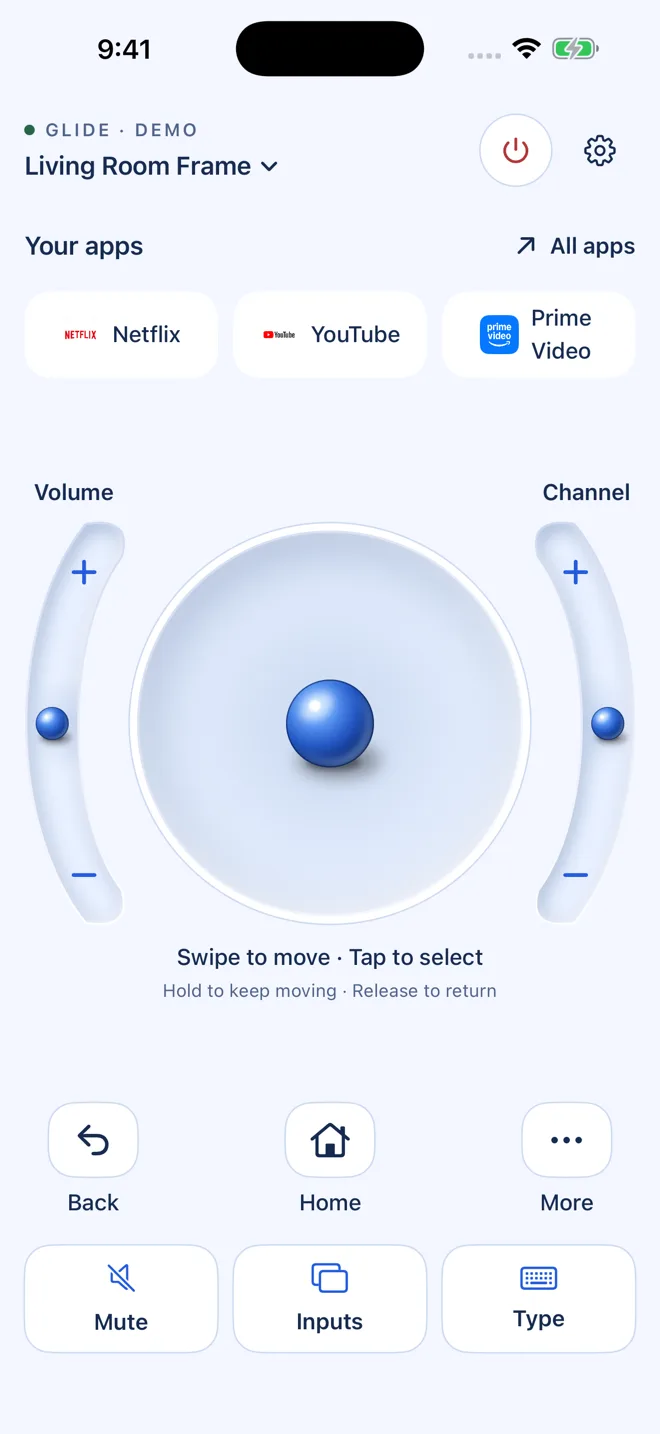
Slide the ball in any direction to move through menus. Hold it to keep moving, release to stop, and tap to select. It feels like a trackpad made for your TV.
- Hold to repeat. Scroll long rows without swiping over and over.
- Curved volume and channel rails. Slide your thumb to step up or down.
- Haptics you can feel. Every step, select and confirm gives a small tap.
- Prefer buttons? Switch to a classic D-pad any time in Settings.
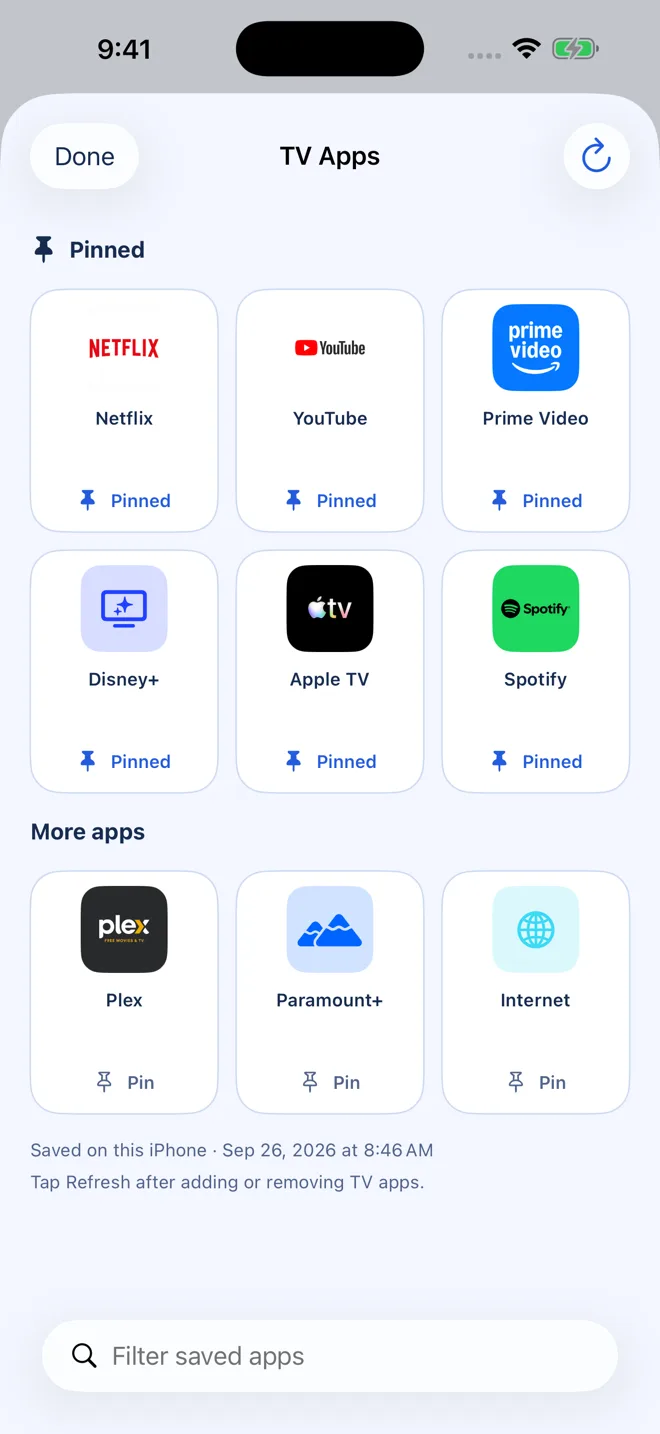
Your favourites. A tap away.
Glide finds the apps installed on your TV and puts them right on your remote. Pin Netflix, YouTube, Prime Video or whatever you watch most, and open them instantly.
- Only real apps. Glide shows an app only after your TV confirms it’s installed.
- Remembered per TV. Your app list opens instantly next time. Tap Refresh after installing something new.
- Pins and search. Keep favourites at the top and filter the rest.
App shortcuts are part of Glide Pro. Available apps depend on your TV model and region.
Less clicking. More watching.
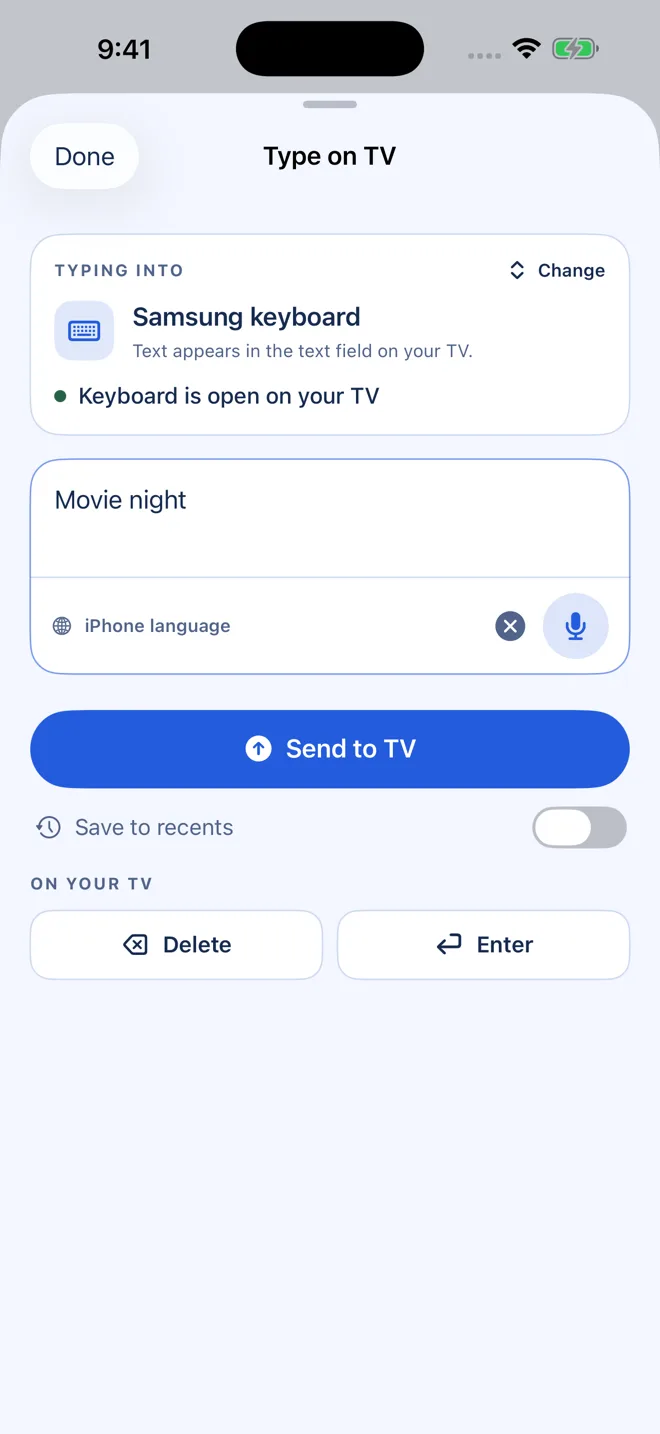
Stop pecking at letters with arrow keys. Type a search with your iPhone keyboard or just say it, check the text, and send it to your TV.
- Native iPhone keyboard. Fast, familiar typing, with autocorrect and your languages.
- Dictation with a preview. Edit what you said before anything is sent.
- Handy extras. Delete, Enter and optional recent phrases for searches you repeat.
Typing is part of Glide Pro. Works when a text field is open on a supported TV app.
Every control, within reach.
All the everyday buttons from your Samsung remote, plus a few things it can’t do.
Inputs in one tap
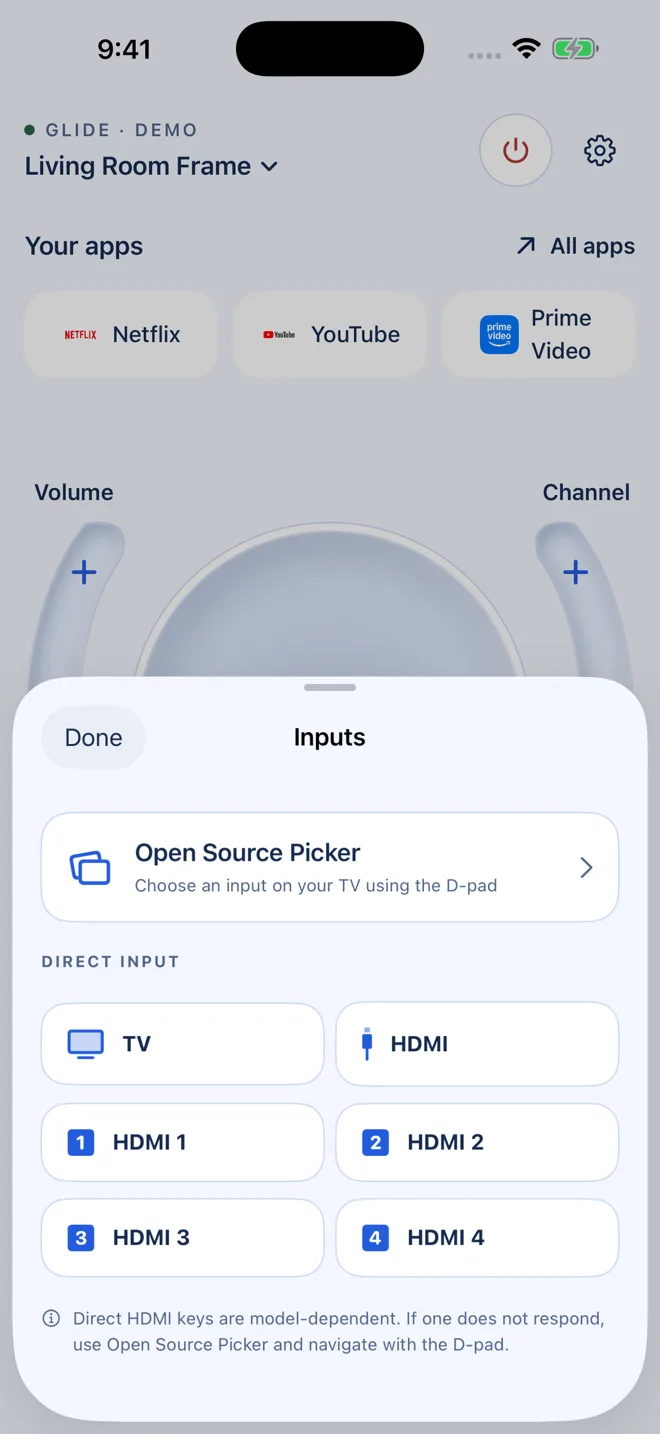
Open the Source picker, or jump straight to TV and HDMI 1–4 on models that support it.
Full controls
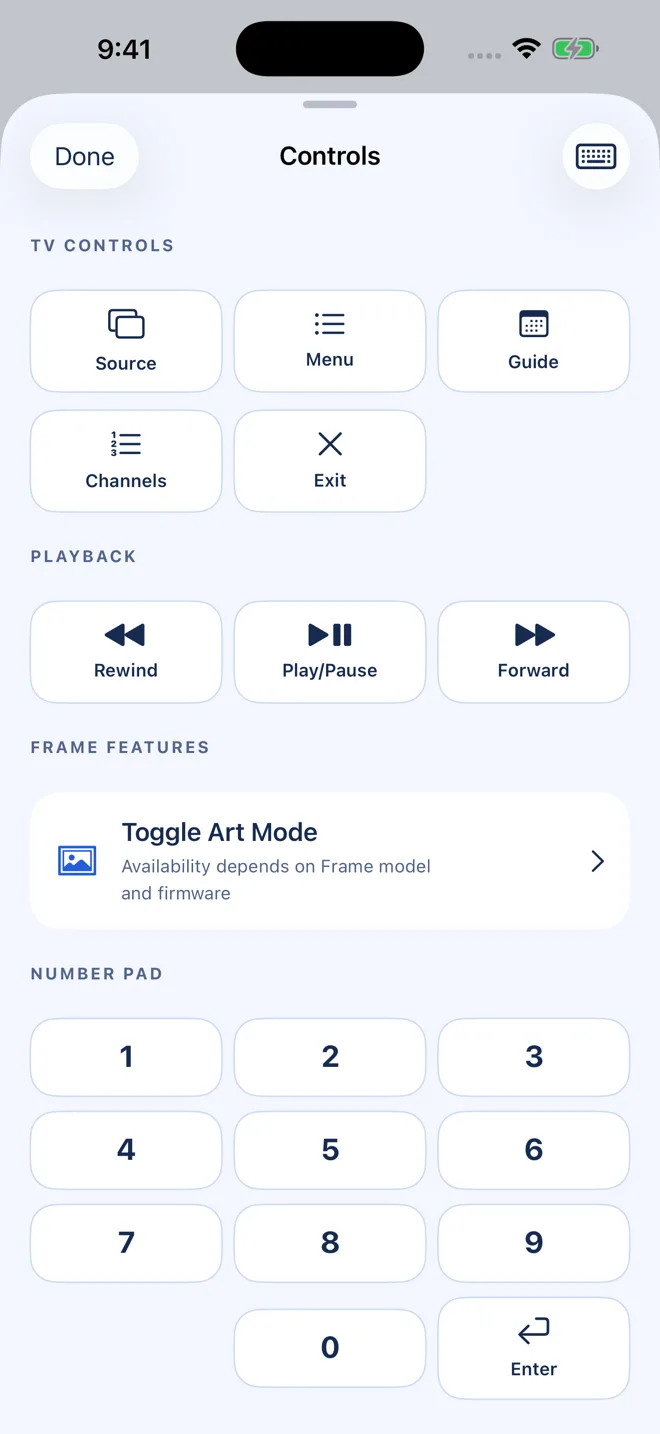
Power, volume, channels, mute, playback, menu, guide, info, exit and a number pad.
Power and Wake
Turn your TV off, hold for standby, or wake a supported TV from network standby.
Frame TV Art Mode
Toggle Art Mode on compatible Samsung The Frame models.
Finds your TV
Glide searches your Wi-Fi for Samsung TVs. You can also add one by IP address.
Pair once
Approve Glide on your TV once. The approval is stored securely in your iPhone’s Keychain.
Multiple TVs
Save the living room, bedroom and more, then switch between them in a tap.
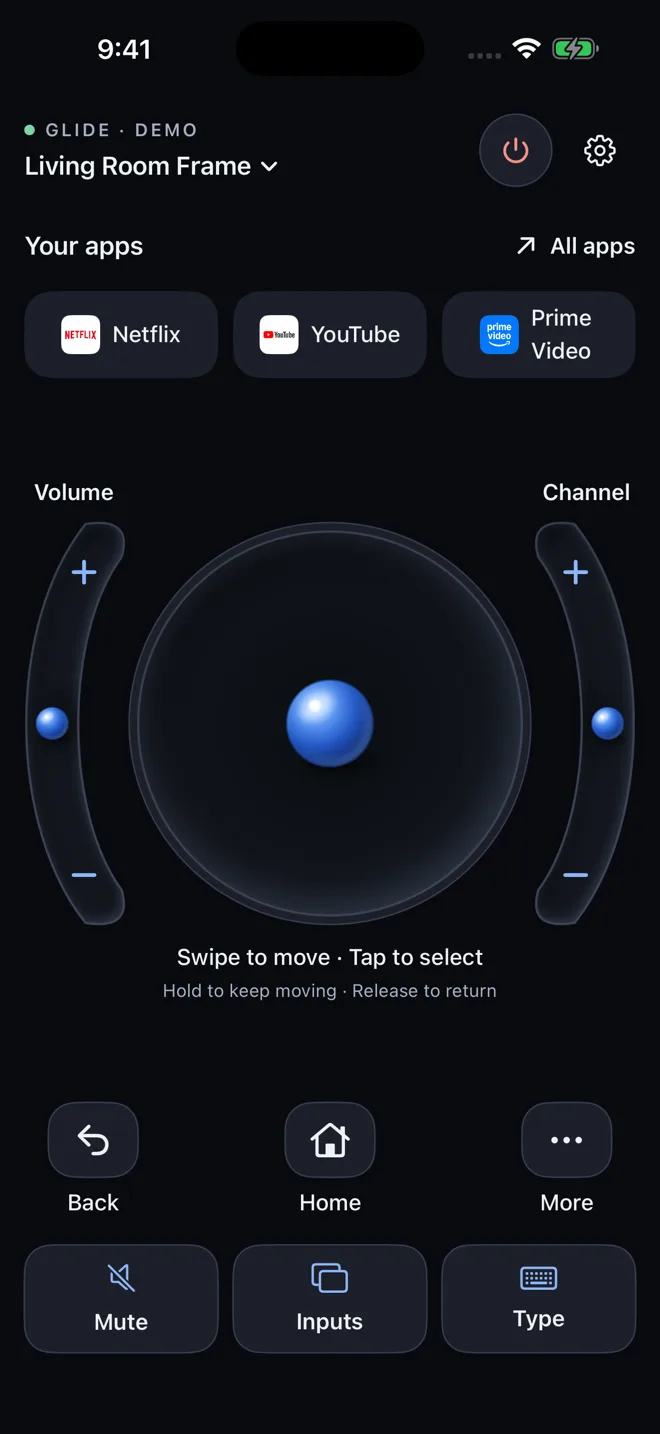
Light and graphite dark
A warm light theme by default, a graphite dark look for movie night, or follow your iPhone.
Built for everyone
Supports Dynamic Type, VoiceOver actions and haptic feedback you can switch off.
Designed to feel at home on iPhone.
26 seconds. You’ll get it.
Watch Glide move through menus, slide volume and channels, open apps and type a search from the iPhone keyboard.
- Recorded from the app itself, using its built-in demo TV.
- No TV nearby? Tap Try Demo TV in the app to explore Glide first.
Connected in under a minute.
Join the same Wi-Fi
Put your iPhone and Samsung TV on the same home network (not a guest network).
Find your TV
Open Glide, tap Find My TV and allow Local Network access. Or enter your TV’s IP address.
Allow on the TV
Your TV asks once whether to allow Glide Remote. Choose Allow.
Start gliding
That’s it. Glide reconnects automatically next time you open it.
Free remote. Pro when you want it.
Use the basic remote for free. Unlock Glide Pro once to get everything, forever. Try it free for 3 days first.
Basic remote
- D-pad navigation
- Volume and channel buttons
- Home, Back, Mute and power
- Input sources
- Themes, haptics and accessibility
Glide Pro
- Everything in Free
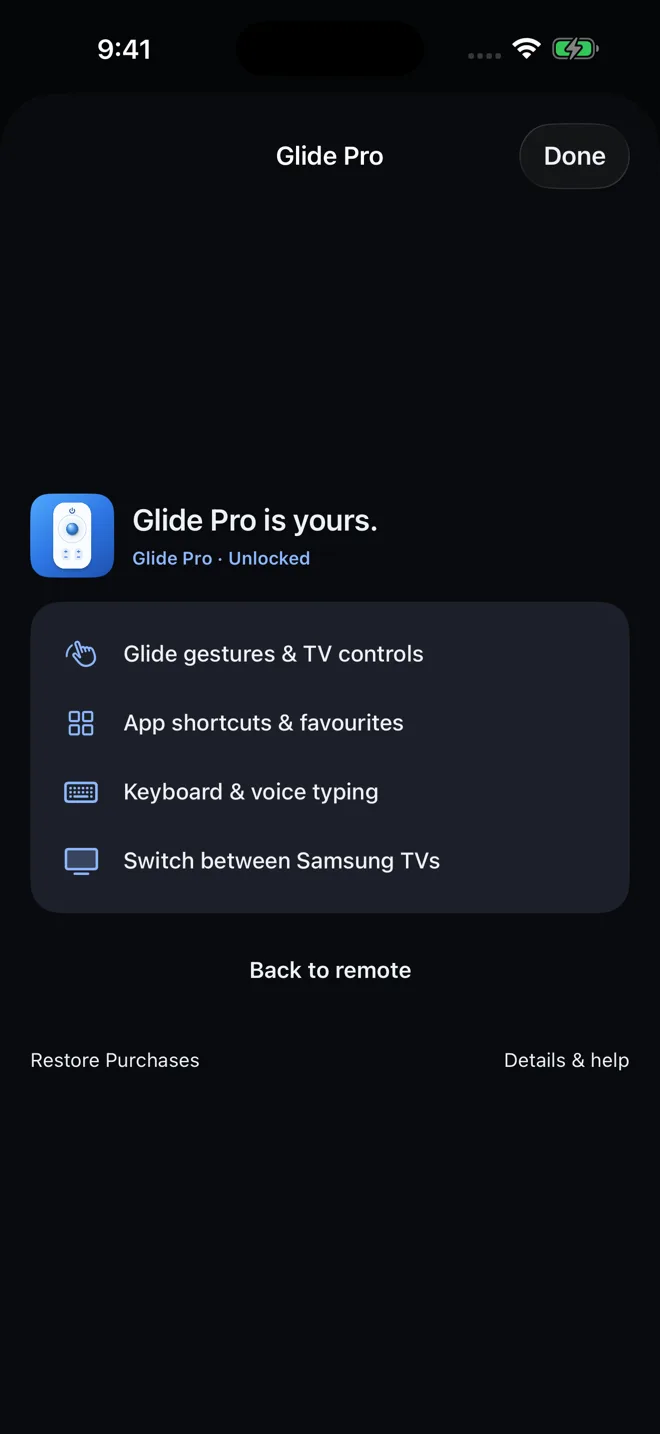
- Glide gestures, hold to repeat and curved rails
- TV app shortcuts and pinned favourites
- Keyboard and voice typing to your TV
- Multiple saved TVs
The price is shown in the App Store for your region. The 3-day free trial is offered after your first TV connection. It never renews and never charges you.
Questions, answered.
Which TVs does Glide Remote work with?
Glide works with compatible Samsung Smart TVs (Tizen) that allow control over your home network. Available features such as app launching, direct HDMI shortcuts, Wake and Art Mode vary by model and year.
LG, Google TV and Android TV aren’t supported yet.
Is Glide Pro a subscription?
No. Glide Pro is a one-time, lifetime purchase through the App Store. There’s nothing to renew.
Will the free trial charge me?
No. The 3-day trial is a separate free item. It ends on its own after 72 hours and never turns into a paid purchase. After that, you can keep using the free remote or buy Glide Pro.
Do I need an internet connection?
Controlling your TV only needs your home Wi-Fi. The internet is used for App Store purchases and, for some languages, Apple’s speech recognition when you dictate.
Why does Glide ask for Local Network access?
iOS requires this permission for any app that talks to devices on your Wi-Fi. Glide uses it to find your TV and send it remote commands. Nothing leaves your home network.
Glide can’t find my TV. What should I check?
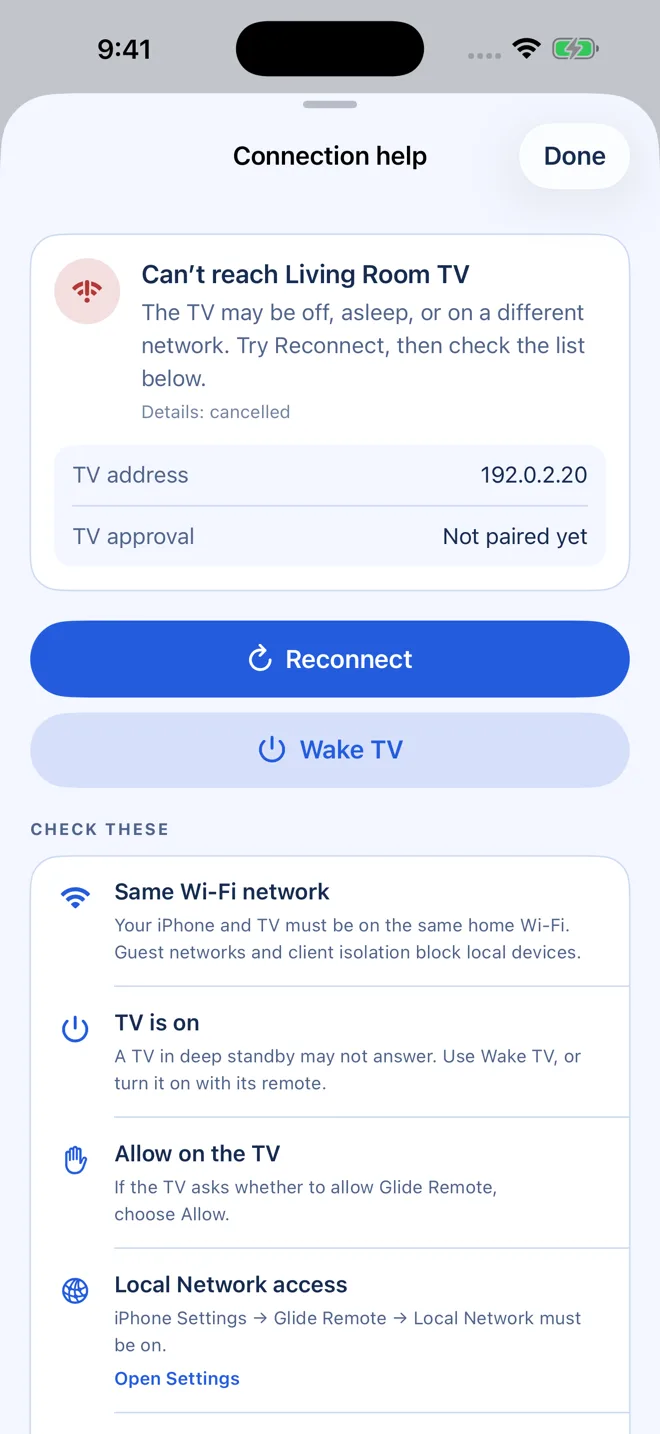
Make sure the TV is on and both devices are on the same Wi-Fi (not a guest network). Check that Local Network is on in iPhone Settings → Glide Remote. Some routers isolate wireless devices; in that case, add your TV by its IP address, found on the TV under Settings → General → Network → Network Status.
More tips are on the support page.
Can Glide turn my TV on?
Glide’s Wake feature can turn on a supported TV that’s in network standby, when “Power On with Mobile” is enabled on the TV. A TV that’s unplugged or fully powered off at the wall can’t be woken over the network.
How do I restore my purchase on a new iPhone?
Open Glide, go to Settings and tap Restore Purchases. Use the same Apple Account you bought Glide Pro with.
Is Glide Remote made by Samsung?
No. Glide Remote is an independent app and isn’t affiliated with or endorsed by Samsung.
Put the remote down. Pick up Glide.
Free to download for iPhone. Works with compatible Samsung Smart TVs.
Download on theApp Store